Organizations
When you register, Rediacc automatically creates an organization for you. Your org is the top-level container for all resources — machines, repositories, subscriptions, and team members.
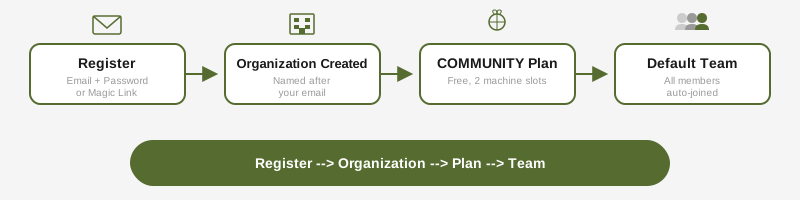
Each organization has:
- A unique name (defaults to your email)
- A subscription plan (starts with COMMUNITY)
- A default team (all members join automatically)
Members & Roles
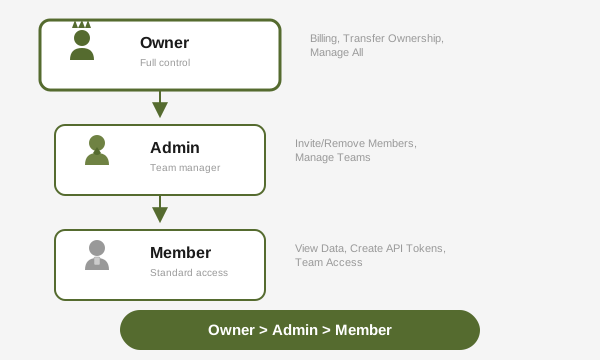
Organizations support three roles:
| Role | Capabilities |
|---|---|
| Owner | Full control: billing, transfer ownership, manage all members and teams |
| Admin | Invite and remove members, create and manage teams, revoke API tokens |
| Member | View organization data, create API tokens, access assigned teams |
Inviting members:
# From the portal: Organization > Members > Invite
# Or via API
When a member is removed, their API tokens and config storage tokens are automatically revoked.
Teams
Teams let you scope resources within an organization. Every org starts with a default team.
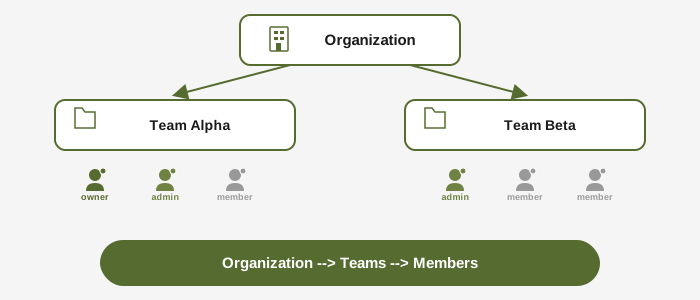
Team roles:
- Team Admin: Can add/remove team members within the team
- Member: Can access team-scoped resources
Organization owners and admins automatically have access to all teams without explicit membership.
Subscriptions & Plans
Rediacc offers four plans:
| Plan | Machines | Repo Licenses/mo | Features |
|---|---|---|---|
| COMMUNITY | 2 | 500 | Basic |
| PROFESSIONAL | 10 | 2,000 | Permission groups, queue priority |
| BUSINESS | 25 | 5,000 | Ceph, advanced analytics, audit log |
| ENTERPRISE | Unlimited | Unlimited | Custom branding, dedicated account |
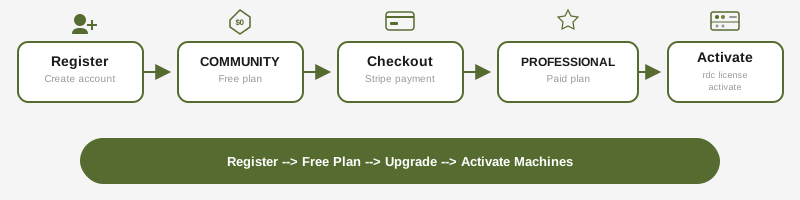
All plans start with a 3-day grace period. Machine activations are tracked per-team and auto-release after inactivity.
Billing
Only the organization owner can manage billing:
- Create a Stripe checkout session for plan upgrades
- Access the Stripe billing portal for payment method changes
- Request self-service refunds (within 14 days, with a 30-day cooldown)